Your website underneath 9 min read
How to do an SEO audit step by step: with a real example and checklist
The steps I follow to audit a website, with a real example where traffic doubled by optimising 27% of the pages, and a checklist.

Related services:
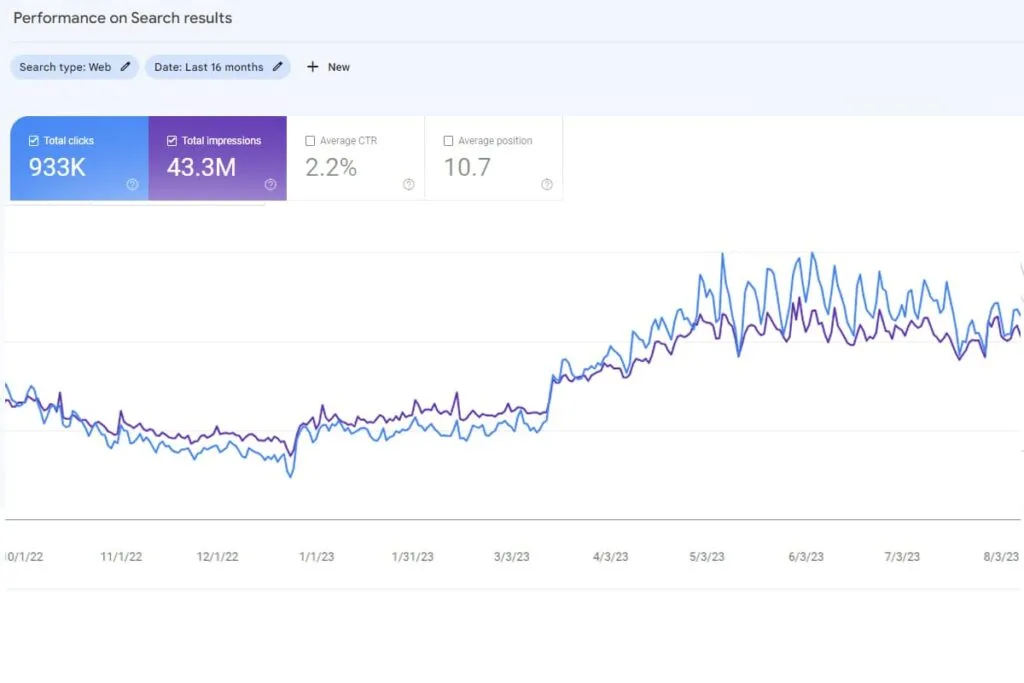
An SEO audit is a review of your website to find out what’s stopping it from showing up on Google and what to fix first. It’s not a list of 200 errors in red: it’s a work order, from what could bring you the most customers to what could bring the fewest.
I’ve been doing audits for more than 6 years, in agencies and on my own. In this guide I walk you through the steps I follow, with a real example and a checklist at the end so you can do your own. If you’d rather I did it, I’ll tell you how at the end.
What an SEO audit is and what it’s for
An SEO audit checks four things: whether Google can find and read your website, whether it understands it, whether it trusts it and whether it answers what your customer is looking for. The important thing isn’t finding faults, but deciding which ones to fix first.
It makes sense to do one when:
- your website is losing visits and you don’t know why;
- you’re going to change website, domain or platform;
- you’ve been doing SEO on your own for a while and don’t know if it’s working;
- your competitors show up before you in the searches that matter to you.
What you need before you start
You don’t need expensive tools. With these four you can do almost the whole audit:
- Google Search Console, free: which searches bring you visits, which pages Google indexes and what errors it finds.
- A crawling tool that goes through your website the way Google does. I use Screaming Frog, which is free up to 500 URLs.
- PageSpeed Insights, free: the speed of each page on mobile and desktop.
- Google Analytics 4, to know which visits end in an enquiry or a sale.
Before touching anything, write down how the website is doing today: clicks, impressions and enquiries for the last quarter. Without that starting point you won’t be able to tell whether what you change works.
Step 1: look at what brings you customers today
Start with what already works. In Search Console, in the Performance report, sort the pages by clicks and note down:
- the 10 or 20 pages that bring the most visits;
- the searches they show up for, and in what position;
- the searches where you appear a lot but hardly anyone clicks.
Those pages are your priority. Improving a page that already brings visits pays off much sooner than creating a new one.
Step 2: check that Google can crawl and index your website
If Google can’t read a page, it doesn’t matter how good it is. Check:
- Search Console’s pages report: which ones are indexed, which aren’t and why.
- The sitemap: that it only contains the pages you want on Google, and none that no longer exist.
- The robots.txt file: that it doesn’t block anything important.
- 404 errors and redirects: broken links, redirect chains and old pages that are still linked.
- Canonical tags: that each page states which is its main version.
In one of my audits I found addresses in the sitemap that had been deleted from WordPress years earlier. Google kept visiting them and wasted time on them instead of on the pages that brought in money.
Step 3: measure speed on mobile
Most of your customers visit you on mobile, and a slow website loses visits before anyone reads anything. Google measures the experience with the Core Web Vitals:
- LCP, how long the main content takes to appear: it should be under 2.5 seconds.
- INP, how long it takes to respond when you tap something: under 200 milliseconds.
- CLS, how much the page jumps while it loads: under 0.1.
What I most often see slowing a website down: huge images, too many plugins and a slow server. If this is your main problem, in site speed (WPO) I explain how I work on it.
Step 4: review the structure and internal links
Each page should answer a specific search, and the menu and internal links have to carry the website’s strength towards the pages that sell. Ask yourself:
- Is there a page for each important service or product?
- Are there several pages competing for the same search?
- Are the pages that sell one or two clicks from the home page?
- Does your website mix different audiences on the same pages?
In a migration for a B2B2C business, the problem wasn’t the copy but the structure: companies and consumers shared menus and pages. By separating them, business enquiries went from 7 a week to 7 a day. I explain it in the full case study.
Step 5: audit the content page by page
Here you look at what your customer reads and what Google shows in the results:
- Title and description of each page: they should say exactly what your customer is looking for.
- Headings: a single H1 per page and an orderly structure.
- Duplicate or very similar content between pages.
- Pages that add nothing: filters, tags, old tests.
Don’t be afraid to remove pages. In the car dealership case, removing what got in the way was half the result: clicks rose 44.5% in three months with just six new pages.
Step 6: if you have a local business, check your Google listing
If your customers look for you nearby, your Google listing matters as much as your website:
- main and secondary categories chosen well;
- name, address and phone number the same on the website, the listing and the directories;
- real photos, opening hours and complete services;
- recent reviews, with replies.
To go deeper, you’ll find how I work on it in local SEO.
Step 7: check who links to you
Links from other websites are votes of confidence. In Search Console, in the Links report, check which websites link to you and to which pages. Look for two things: strange links that could hurt you and important pages nobody links to.
Step 8: ask AI about your business
More and more people ask ChatGPT or Google’s AI instead of searching the usual way. Try it yourself: ask about your service in your area and note whether you appear, who appears and which sources it cites. Also check your website in Bing Webmaster Tools, because ChatGPT relies on search engines like Bing. I work on this in SEO and AI visibility.
Step 9: prioritise by impact, not by number of errors
An audit you can’t put into practice is just paper. Sort everything you’ve found with two questions: how much can it improve, and how much does it cost to fix?
| Priority | What it is | Example |
|---|---|---|
| First | High impact and low effort | Fixing the titles of the pages that bring the most visits |
| Next | High impact and high effort | Rebuilding the website’s structure |
| When there’s time | Low impact and low effort | Alt text on old images |
| Hardly ever | Low impact and high effort | Chasing 100 on PageSpeed on every page |
SEO audit example: how traffic doubled with 27% of the website
An affiliate website for the United States market was losing traffic every month, even though its links converted at 11%. The conversion rate was fine, so the goal was to win back the visits.
What the audit found:
- Keywords: the secondary keywords no longer brought traffic, and there was a new search within the main one that no page was working on.
- Technical: 404 errors and sitemap addresses deleted from WordPress years before.
- Content: 30 pages, out of 110, carried almost all the website’s weight.
What was done, in order of impact: first, the technical errors; then the titles, descriptions, headings and content of those 30 pages, with the new search.
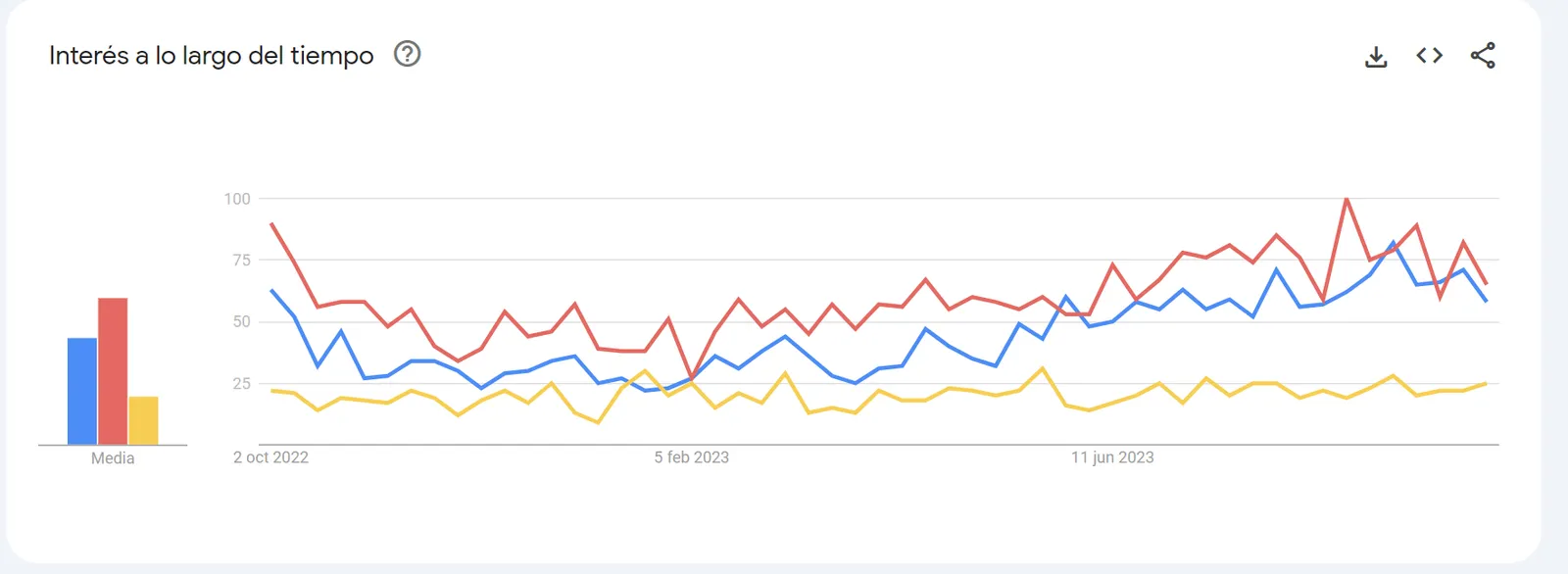
The result: within three weeks the change was already visible in Search Console and, in a year, traffic doubled with only 27% of the website optimised. You’ll find it with all its screenshots in the full case study.
SEO audit checklist
You can use this list to do your own audit.
Before you start
- I have access to Search Console, Analytics and the website.
- I’ve noted down clicks, impressions and enquiries for the last quarter.
What already works
- I know which 10 or 20 pages bring the most visits.
- I know which searches I show up for and in what position.
Crawling and indexing
- The important pages are indexed.
- The sitemap only contains pages that exist and that I want on Google.
- The robots.txt doesn’t block anything important.
- There are no linked 404 errors or redirect chains.
- Each page has the correct canonical.
Speed
- LCP under 2.5 s on mobile.
- INP under 200 ms.
- CLS under 0.1.
Structure
- Each important service or product has its own page.
- There aren’t two pages for the same search.
- The pages that sell are one or two clicks from the home page.
Content
- Each page has its own title and description.
- A single H1 per page.
- There’s no duplicate content between pages.
- I’ve removed or merged the pages that add nothing.
Local business
- The Google listing is complete and has the right category.
- Name, address and phone number are the same everywhere.
- I have recent reviews, with replies.
Authority and AI
- I know who links to me and there are no strange links.
- I’ve asked AI about my business and know which sources it cites.
Priorities
- I have the list sorted by impact and effort.
- I know what I’m going to measure to know if it works.
The most common mistakes when doing an audit
- Settling for the automatic report. Tools find errors, but they don’t know which ones matter for your business.
- Fixing everything at once. If you change lots of things together, you won’t know what worked.
- Not measuring first. Without the starting point, there’s no way to prove the improvement.
- Forgetting the customer. A technically perfect website that doesn’t answer what your customer is looking for doesn’t sell.
When it’s worth having someone do it for you
You can do a first review yourself with this guide. If your website is large, you’re going to migrate or you don’t have time, a technical SEO audit done by someone with experience saves you months of trial and error: you know what to fix, in what order and why.
If you want to start with no commitment, get your free gap map: in under 48 hours I’ll send you the searches where you can beat your competitors and what I’d change first on your website.
Frequently asked questions
How long does an SEO audit take?
A basic review of a small website, a few hours. A complete audit, with competitors, content and priorities, between 2 and 4 weeks depending on the size of the website.
How often should you do an SEO audit?
A complete one once a year, and a quick review whenever you change something big: a new design, a migration or a drop in visits.
Can I do an SEO audit for free?
Yes. Search Console, PageSpeed Insights and the free version of Screaming Frog cover almost every step in this guide. What costs is interpreting the data and deciding what to fix first.
What’s the difference between a technical SEO audit and a local SEO audit?
The technical one reviews the website underneath: crawling, indexing, speed and structure. The local one focuses on what makes you show up on the map: your Google listing, your details in directories and your reviews. A local business needs both.